
What SaaS is, in plain words
SaaS stands for "software as a service": a service people use through a browser or an app and pay for by subscription, monthly or yearly. You do not sell a program once; you sell ongoing access. Examples from life: online accounting, a client booking system, a newsletter platform. The customer has nothing to install and no servers; you have recurring revenue.
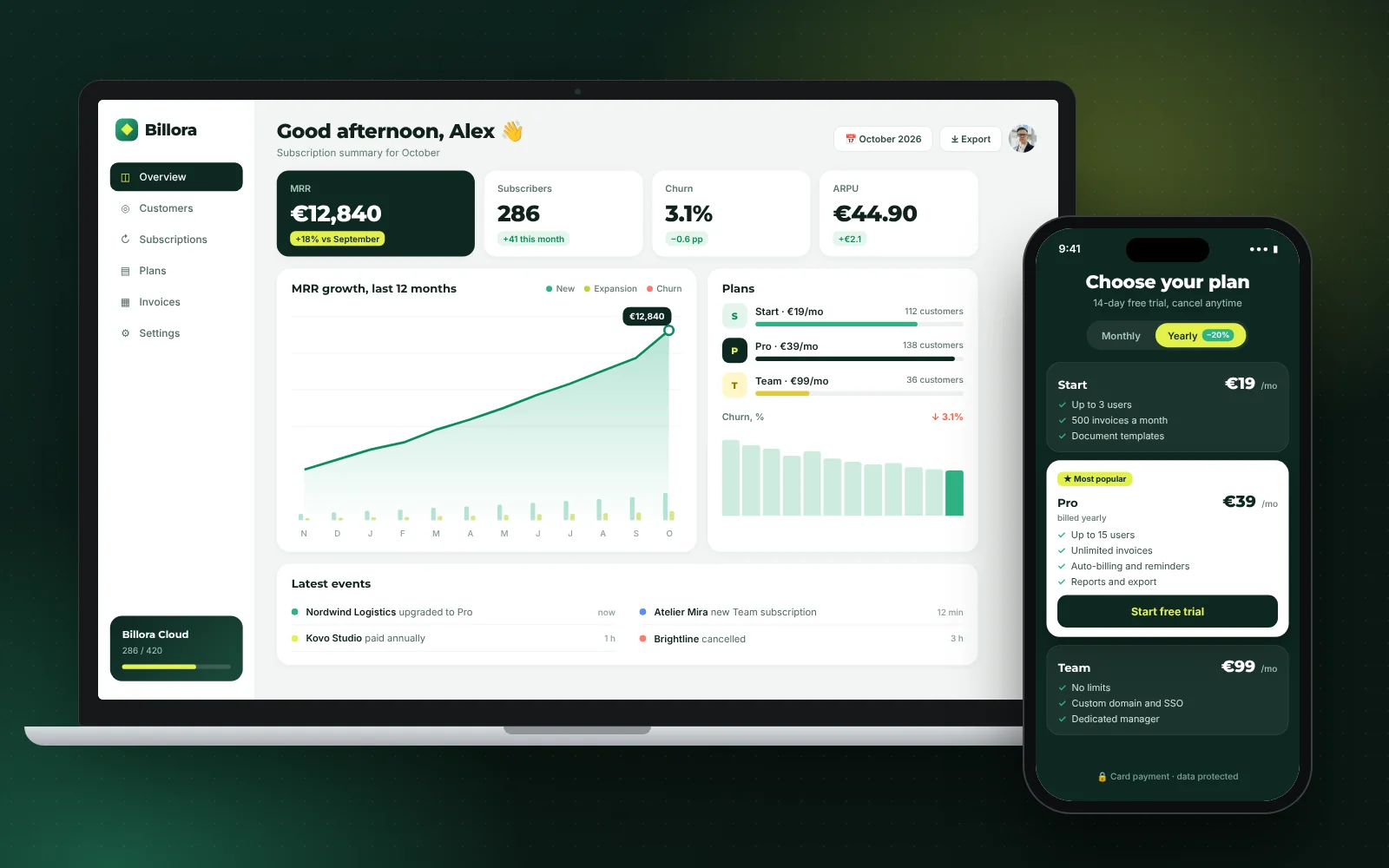
It is important to tell SaaS apart from an ordinary website with a customer account. A website tells people about your service, while a SaaS is the service itself: a person logs in, does their work in the product and pays for the ability to do it. That is why a SaaS always has four required parts: sign-in and accounts, plans with payment, a first-steps flow for a new customer, and an owner's dashboard that shows how many customers and how much money you have.
When SaaS is a good idea
- You have a repeating task that people already pay for with money or time: by hand, in spreadsheets, through a contractor.
- You understand exactly who the customer is and what annoys them in existing solutions.
- The product can be sold to many customers without custom work for each.
When you do not need SaaS
If you want to automate processes only inside your own company, you need not a SaaS but an internal service or a CRM. If the service is essentially consulting and every client is unique, nobody will pay a software subscription for it. In such cases it is more honest to start with a minimum viable product (MVP) or to decide whether you need your own record-keeping system.
How to build a SaaS: steps from idea to first customers
Below is the order that works for most services. It matches how we run projects: the client sees eight clear steps, and inside there is a full engineering cycle.
- Describe the customer and the task. One sentence: "For whom we do what instead of what." If the sentence does not come together, it is too early to write code. Talk to five to ten potential customers and ask how they solve the task now and what it costs them.
- Choose a minimal first version. It includes only what the customer cannot get a result without. Everything else goes on the "later" list. We wrote about what an MVP is in "What Is an MVP and How Much Does It Cost".
- Draw the product map. Which roles exist (customer, their employee, you), which pages and data, what links to what, which services we connect (payments, email, customer verification). This is the architecture session, covered below.
- Show the design and build the foundation. Sign-in, accounts, roles, admin, emails. Every service needs these alike, so this part is ready on our side and not written from scratch.
- Add plans, payments and the customer's first steps. This is where the product becomes a SaaS: a person signs up, chooses a plan, pays and gets access without your involvement.
- Test and launch for the first customers. Tests, security, mobile screens, test payments and emails. Launch for 5–20 live customers, not for "everyone at once".
- Watch the data and decide. Who reached payment, who left and why. Only after that do you decide what to develop.
Do not skip steps 1–2. The most expensive mistakes in SaaS happen not in code but in the team building a service nobody asked for. The service's website and pricing page are easiest to build separately, as a landing page, so you can start collecting sign-ups before the product is ready.

SaaS development cost
It is not honest to name an exact price for a SaaS before the product is described: it depends on the number of roles, payments, connections to other systems and on whether the service serves "companies with their own workspaces" or individual people. That is why we sell complex systems through an architecture session at €3,500 (2–3 weeks). Its result is a product map, an estimate and a plan for the first version. The amount is credited toward the project, and the map stays with you in any case, even if you decide to build the product with someone else.
What our price is made of
| What | Price list |
|---|---|
| Architecture session | €3,500, credited toward the project |
| Turnkey platform: sign-in, accounts, roles, admin, emails | from €17,900 |
| Subscriptions and payments (plans, auto-billing, promo codes, invoices) | +€6,900 |
| SaaS mode: company customers with their own workspaces, their plans and payments, an owner's dashboard with metrics | +€27,000 |
| A complete SaaS service with subscription | from €44,900 |
The total from €44,900 (a €17,900 base plus €27,000 for SaaS mode, with plans and payments for companies already inside) is a benchmark for a service whose customers are companies with teams. If your customers are individual people, the "many companies" mode is not needed, and the base plus subscriptions comes to from €24,800 (the platform and subscriptions are assembled into one "Subscriptions and club" package). So the first question in the session is always the same: who pays, a person or a company.
What is not in the price
You pay for the domain and third-party services directly; we add no markup. At the start the infrastructure can cost €0: hosting, database and email use free plans. But they have limits: for example, on the free plan a database project "falls asleep" after a week without activity, and the email service caps the number of messages. When the service outgrows the limits, we tell you in advance which plan is needed and what it costs. The payment provider's own fee is taken by the provider.
How to compare offers from agencies in your country is covered in "How to Choose a Web Development Company": it quickly shows who names a price only after "let's discuss on a call" and who shows the scope.
SaaS pricing models: how to earn from a subscription
A pricing model is the rule by which the customer pays. It must be chosen before development, because plans, billing (counting and charging payments) and even the data structure depend on it. The main options:
- Flat subscription. One plan, one price a month. Easiest to explain and launch. It fits when all customers use the service about equally.
- Tiered plans. For example "Start", "Team", "Business" with different sets of features and limits. The most common scheme: the customer chooses what to pay for.
- Per-user pricing. The price is multiplied by the number of the customer's employees. Revenue grows with the customer, but customers may save money by adding fewer people.
- Usage-based pricing. They pay for volume: requests, emails, checks, gigabytes. Fair for the customer, but revenue is harder to predict.
- A combination. A base subscription plus an extra charge for volume above the limit.
How to choose a model
Ask yourself what the customer is really ready to pay for and what grows for them when the value grows. If value depends on the number of employees, charge per user. If it depends on the number of operations, charge for usage. If it is unclear, start with two or three plans and one test: which of them is chosen most often. In well-built billing you can change plans without rebuilding the service.
Calculate revenue by month
The calculator below shows how subscription revenue builds up (MRR, monthly recurring revenue): how many customers you add per month, how many leave and when the service will pay back development. The figures in it are your assumptions, not a forecast: enter what you learned from conversations with customers. Churn is where people most often go wrong: even a small share of customers leaving each month noticeably shifts the payback.
Calculate your SaaS revenue by month
Default values are an illustrative example, not a forecast or market statistics: enter your own assumptions. The development cost comes from the YARDOS price list v0.4 (SaaS service with subscription from €44,900; the €3,500 architecture session is credited). The domain and third-party subscriptions are paid separately.
What a SaaS consists of: what must be there from day one
There are things that are cheap to build in at the start and very expensive to redo later.
Separation of customer data
If your customers are companies, one service serves many of them, and each one's data must be isolated. This is called multi-tenant architecture (a tenant is one customer company). In plain words: everyone sees only their own data. In our stack this is solved by rules in the database (RLS) and built in from day one. Customer isolation is one of the core topics in Amazon Web Services' "Well-Architected" SaaS guide (see the sources list below): it is a separate architectural task, not a side effect of signing in.
Billing
Plans, auto-billing, invoices, promo codes, what happens on non-payment. The payment provider handles taking the money, but the logic of "which plan, what is available, when to renew" has to be built into the product. You sign the contract with the payment provider yourself; we set up the integration.
First steps for a new customer
Onboarding (getting to know the service) decides whether a person becomes a paying customer. A short path from sign-up to the first result matters more than ten extra features.
Owner's dashboard
How many customers, who pays, who left, how much money per month. Without this you run the service blind.
Security and emails
Protecting forms from spam, two-factor sign-in for your team, database backups, emails from your domain. This is standard, not an option.
Modules instead of a rebuild: how to grow a SaaS in parts
The main mistake when ordering a SaaS is trying to build it "like the big ones" at once. The budget goes into untested features, and launch slips by a year. The right scheme is different: a base plus modules. First the core launches and solves the main task, and new capabilities are connected as separate modules once customers show they are needed.
This is how it looks in money. A mobile app, courses, a club and community, ranks, a partner program, an extended admin panel: each module has its own price and timeline. You buy only what you need now. If you connect three or more modules, a 10% discount applies to the whole. You do not pay for what you do not use, and you do not rebuild the base when the product grows.
Why this is cheaper than rewriting
When the base is built with room to spare (roles, permissions, customer records, payments, emails), a new module plugs into it like a construction-set part. If instead you first build a "small site for one scenario", then as you grow you have to rework the data, sign-in and permissions: in effect a second project. We applied a similar approach in projects on our platform for courses, subscriptions and a club; examples are collected in the case studies.
If a mobile version is in your plans, see how much app development costs and whether you need it right away: often a web version that opens comfortably on a phone is enough at first.
Typical mistakes when building a SaaS
- Doing everything at once. Twenty features instead of one main one. Fix: an MVP and a "later" list.
- Not talking to customers before development. You build what you like. Fix: ten conversations and pre-sign-ups on a landing page.
- Not building in payments. "Free for now, we will add it later" turns into a rebuild. Fix: plans and billing in the first version, even if there is a single plan.
- Ignoring churn. Acquiring customers is expensive; retaining them is cheaper. Fix: watch who leaves and why from the first month.
- Not owning the product. The code is with the contractor, the domain is on their account. Fix: the repository, domain and services are registered to you, and we work by invitation.
- Promising customers dates before they are known. The first version's timeline is named in the plan after the architecture session, not before it.
- Forgetting marketing. Even an excellent service will not be found by itself. Budget time and money for promotion, for example SEO: it works over months, not days.
What to choose in your situation
Specific advice by scenario:
- If you have only an idea and no customers. Do not order development. First make a landing page with a description and a pre-registration form, talk to customers and only then go to an architecture session.
- If you have first customers who pay by hand (invoice, transfer). An architecture session at €3,500 fits you, followed by a base with subscriptions. You already know what they pay for, and that is the main thing.
- If your customers are companies with teams. You need SaaS mode with data separation and per-user plans; budget from €44,900 and a timeline of three months or more.
- If your customers are individual people. A base with subscriptions is enough: noticeably cheaper, and you can add a "companies" mode later as a module.
- If your budget is under €20,000. Build an ordinary site with a form and serve the first customers by hand. That is also a way to test demand. A quiz landing page also works for a first test of price and demand.
Choosing a contractor for such a project is a big topic of its own; we collected the checklist in "How to Choose a Web Development Company". The approach in any country is the same: first the product map, then development. To discuss your project, write to us on the contact page.
Do not forget the legal side: the user agreement, privacy policy and personal data processing (GDPR for customers from the EU) are checked by your lawyer. We provide templates, but not legal opinions.
Frequently asked questions
How much does it cost to build a SaaS?
With us a SaaS service with subscription starts at €44,900 when the customers are companies. If your customers are individual people, a base with subscriptions is often enough, from €24,800. You get an exact estimate after the €3,500 architecture session, which is credited toward the project.
How long does it take to develop a SaaS?
A service with plans, roles and accounts takes three months or more. We name the exact timeline of the first version in the plan after the architecture session: it depends on the scope you choose for the first launch.
How is a SaaS different from an ordinary site with an account?
In a SaaS you sell access to the service itself by subscription, and it has plans, auto-billing, customer onboarding and an owner's dashboard. A site with an account more often just presents a service and stores customer data.
What is an MVP and do I need one for a SaaS?
An MVP is a minimal working version that solves one main task and tests demand. For a SaaS it is the best way to start: you spend less, get your first customers sooner and decide what to develop from real data.
Which pricing model should I choose for a SaaS?
Start with two or three tiered plans, or per-user pricing if value grows with the customer's team. If it is unclear, see which plan is chosen most often and adjust. Good billing lets you change prices without rebuilding the service.
Who owns the code and the data?
You do. The code repository, domain and service accounts are registered to you, and we work by invitation. You pay for the domain and third-party subscriptions directly, with no markup from us.
Can I add features after launch?
Yes, and that is what we advise. The base is built with room to spare, and a mobile app, courses, a club or a partner program are connected as separate modules. The base does not need rebuilding.
Do you promise a number of customers or revenue?
No. We are responsible for development, while the number of customers depends on the market, the product and marketing. The calculator in the article shows your assumptions, not a forecast.
Sources
- AWS Well-Architected, SaaS Lens: tenant isolation · Amazon Web Services
- Stripe Billing: subscriptions and recurring payments · Stripe
- Supabase: Row Level Security (everyone sees only their own data) · Supabase
- GDPR: Regulation (EU) 2016/679, official text · EUR-Lex (European Union)