
Brief vs Requirements Document: What’s the Difference
These terms are often confused, although they are two different documents.
- A brief is your answers to the contractor’s questions: what the company does, whom it sells what to, why you need a website, what materials you have. You fill it in.
- A requirements document (also called a technical specification, spec or statement of work) says exactly what will be built: the list of pages, functions, technical requirements, timelines and the delivery procedure. The contractor usually prepares it from the brief, and you approve it.
For a small website (a business card site, a landing page, a ten-page site) a separate thick specification is not needed. A good one-to-two-page brief plus a page list and acceptance criteria is enough. A large requirements document is for complex systems: accounts, payments, integrations. Such projects with us begin with a paid architecture session for €3,500, in which the requirements and the estimate turn into a product map, and the sum counts toward the project.
Why do you need all this? A brief saves money and nerves. A contractor who understands the task asks fewer questions, sends the first version faster and redoes less. And the quality of a contractor’s questions shows how deeply they dig in: there is more on this in how to choose a web agency and avoid mistakes.
Web Design Brief: A Template You Can Copy and Fill In
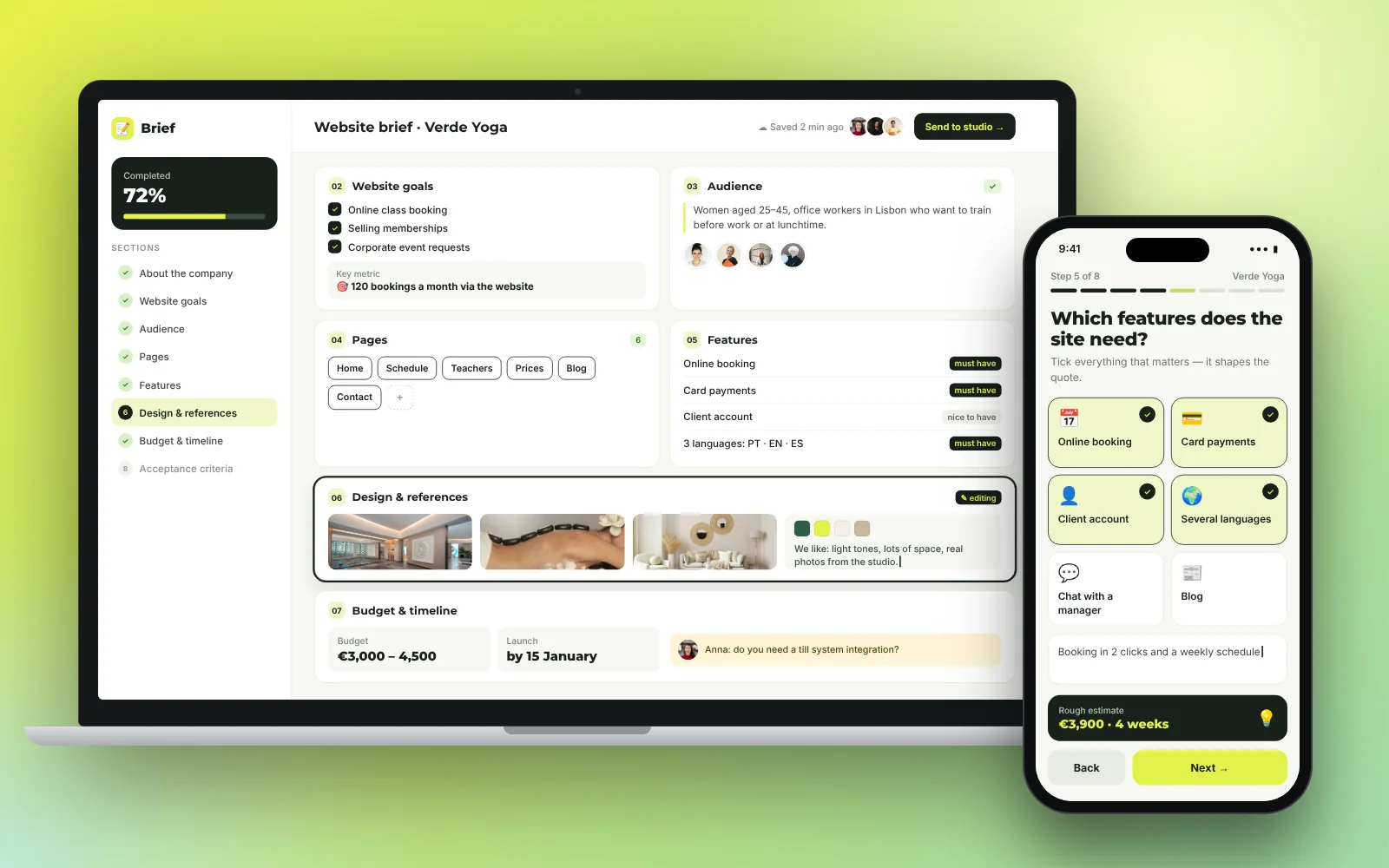
Below is a template you can copy and fill in. In public brief templates (for example from Atlassian) the general logic is the same: goal, audience, content, constraints, timeline and owners. We added questions specific to a website.
1. About the company
- Name, legal form, country, website and social media, if any.
- What you do, in two or three sentences.
- How do you differ from your closest competitors?
2. Why you need the site
- The main goal in one phrase: leads, sales, image, a bank check, bookings.
- What should a visitor do on the site (call, leave a request, buy)?
- How will you know the site works: how many leads a month do you count as success?
3. Who it is for
- Who your customer is: age, country, city, occupation.
- What do they look for and what are they afraid of when choosing?
- Which device do they use more often: a phone or a computer?
4. What is on the site
- A list of pages or sections (more below).
- Whether you need forms, payment, booking, a customer account, a blog, languages.
- Where leads go: email, a CRM, a messenger.
5. Style and examples
- Do you have a logo and brand colors?
- Three sites you like, and what exactly you like. And two you dislike.
- Tone: formal, friendly, expert.
6. Materials
- What you have: texts, photos, video, presentations, reviews, company details.
- What the contractor needs to prepare.
7. Timeline, budget, owners
- When the site must be ready and why that date?
- The budget or a range.
- Who makes decisions on your side and how fast do they respond?
For a small project, answer briefly: one phrase per question is enough. Once the brief is filled in, check it against the checklist below: it will show which answers are missing. And if you are still deciding what kind of site you need, start with how to build a business website.
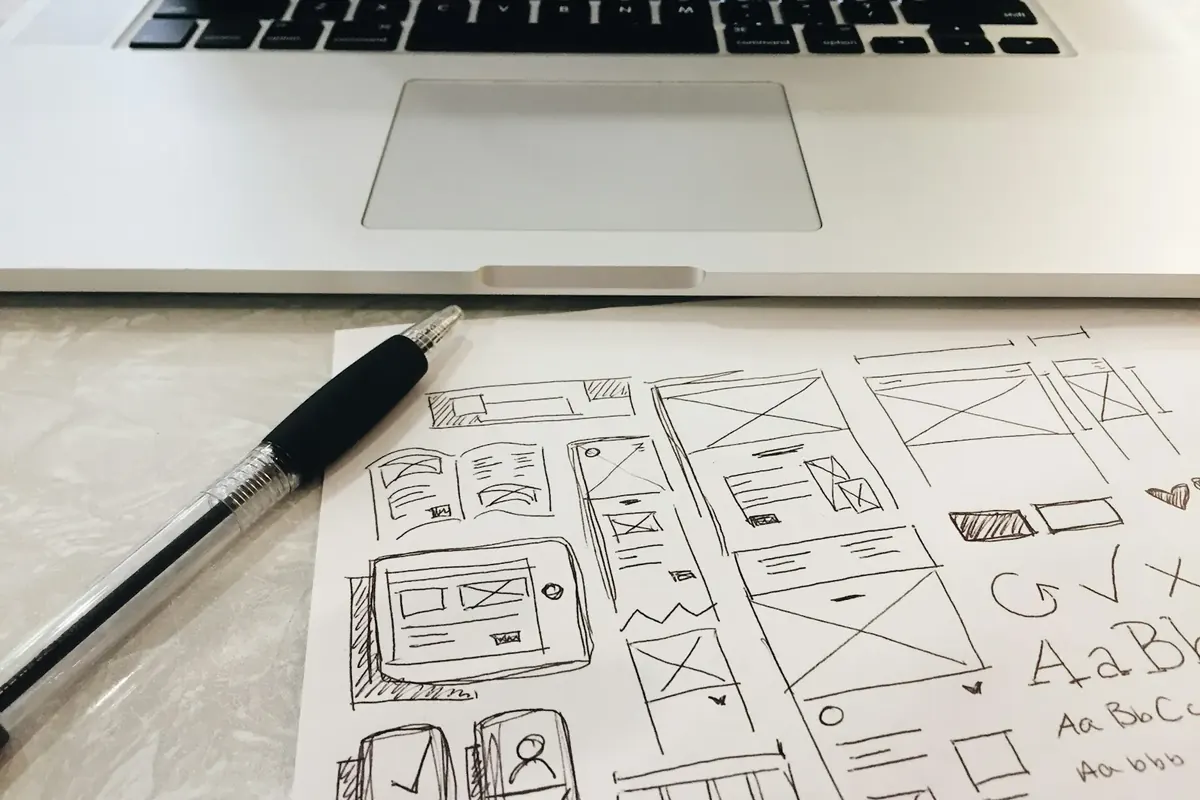
Is your brief ready to start?
- The goal of the site is written in one phrase with a measurable result
- Customers are described: who they are, where they live, what they look for
- There is a list of pages with the purpose of each
- Functions are defined: forms, payment, booking, an account, languages
- There are three example sites you like, with a comment on why
- There is a logo and brand colors, or a decision to commission them
- Texts, photos and company details are prepared, or a hand-over date is set
- One person on your side is responsible for decisions
- The timeline and budget (or a range) are written down
- Acceptance criteria and the number of rounds of revisions are written down
Website Requirements Document Template: A Worked Example
Below is an example of a short requirements document for a fictional company, so you can see the level of detail. It is a teaching example, not a real client.
Project: a website for the interior design studio “Example Studio”
- Goal. Get 15–20 requests a month for a free consultation from search and ads.
- Audience. Homeowners aged 30–50 in one city, mostly on a phone.
- Structure. Home, Services (3 pages: apartment design, house design, design supervision), Portfolio, About, Blog, Contact.
- Functions. A request form (name, phone, type of property), with requests arriving by email and in a spreadsheet; a filter in the portfolio; a blog with categories; a messenger button.
- Languages. English and Spanish.
- Design. Light and calm; the logo and palette are provided; example sites are attached.
- Technical requirements. Responsive layout; secure connection; pages open fast (Google’s benchmark is main content loading in 2.5 seconds or faster); basic SEO setup (titles, descriptions, sitemap).
- Legal. Privacy policy, cookie consent, company details. The texts are checked by the client’s lawyer.
- Stages and timeline. Structure, 2 days; home page design, 3 days; build, 5 days; content and testing, 3 days; launch. The timeline counts from receipt of materials.
- Acceptance. See the criteria below.
For such a project, our price list points to the business website for €2,490: up to 10 pages, a blog, 2 languages and SEO setup. To see what other options cost, read how much a website costs in 2026.
How to Describe the Site Structure
The most useful part of a requirements document is the list of pages. Describe each in one line: the name, why it is needed, what must be on it. For a small company in your country a set like this is usually enough:
- Home. Who you are, what you offer, the main button, proof.
- Services or products. A page for each service people search for separately. This matters for search.
- About the company. Team, history, company details: banks and partners look at this page.
- Case studies or portfolio. Only real work.
- Blog. Useful articles for your customers’ questions.
- Contact. Email, phone, address, form, map.
- Legal pages. Privacy policy, terms, cookies.
If you are not sure what to include, look at what competitors have and ask yourself which customer question each page answers. Remove what is unnecessary: fewer pages means a faster launch and a lower price. How this connects to the choice of builder or platform is covered in website builder or custom development.
Technical and Legal Requirements Worth Writing Down
Even if you are not technical, a few points belong in the requirements. They protect you from a site that is “beautiful but does not work”.
- Mobile version. The site must look right and work on a phone.
- Speed. Google uses the Core Web Vitals metrics: main content should load in 2.5 seconds or faster (LCP), the page should respond quickly to a tap (INP no more than 200 milliseconds) and not “jump” while loading (CLS no more than 0.1). Write this down as a target, not as an obligation for the contractor to guarantee the numbers on every phone.
- Security. A secure connection (HTTPS), form protection against spam, access with two-factor authentication.
- Legal pages. Which ones are needed in your country. For sites in the EU these are usually a privacy policy, cookie consent and company details, and for Germany and Austria an Imprint as well. Texts based on templates must be checked by your lawyer.
- Ownership. The domain, code and accounts are registered to you; after launch you receive all access.
- Editor. Which texts and blocks you edit yourself.
- Analytics. What we count: leads, sources, goals.
You do not need to write about SEO requirements in detail. It is enough to ask for unique page titles and descriptions, clear URLs, a sitemap and Search Console setup (Google’s free service that shows how the site appears in search). Do not write search rankings in as an obligation: nobody can honestly guarantee them.
Acceptance Criteria: When the Site Counts as Finished
Acceptance is the moment when you say “accepted” and pay the final stage. So that it does not turn into endless revisions, write down in advance what “done” means.
- All pages from the list are created and open.
- The site displays correctly on a phone, tablet and computer in modern browsers.
- The form sends the request to you and the customer gets a confirmation. Verified with a test request.
- Legal pages are in place, and company details are shown.
- Speed metrics are within the targets in the requirements (checked in PageSpeed Insights).
- Analytics records goals and Search Console is connected.
- Access is handed over to you, and the domain and accounts are registered to you.
- There is a short guide to changing texts and photos.
And two more rules: how many rounds of revisions are included in the price (with us, for example, two rounds on a business card site) and what counts as a revision versus a new task. It is better to set new tasks up as separate modules than to inflate the original requirements. How we organize the work step by step is described on How we work.
Five Mistakes in a Brief and Requirements
- “Make it look good.” Without examples and criteria this cannot be checked. Bring three sites you like and explain why.
- No goal. “We need a site like everyone else” is not a task. A task is: “I want to get 20 requests a month.”
- All pages at once. Start with the main ones and add the rest after launch.
- Materials “later”. Texts and photos delay a project more than anything else. Either prepare them before the start or order them separately.
- No single owner. If five people respond on your side, the project stalls. Appoint one.
If all five points sound familiar, do not worry: the contractor will ask clarifying questions. But the better prepared the brief, the less you pay for rework.
One more tip on the language of the document. Write the way you speak: “the home page must have a ‘Book now’ button that opens a three-field form.” That sentence cannot be understood two ways. A phrase like “a convenient and modern home page” leaves the contractor the right to decide for you, and later you will argue about what was meant. The more specific the wording, the easier it is to accept the work and the fewer revisions there are.
What to Choose in Your Situation
- If you need a site urgently, in 24 hours, a simplified questionnaire is enough: the company, what you do, contacts, company details, domain. We clarify the rest ourselves. This is the “Website in 24 hours” for €599.
- If you are a small company and the site has 5–10 pages, fill in the brief using the template above, which takes an hour or two. A full requirements document is not needed.
- If you are building a site for a local service in your city, add a map, addresses, opening hours and customer reviews to the brief.
- If you need accounts, payments and integrations, do not write the requirements yourself. Order an architecture session: the output is a product map and an estimate, and they stay with you in any case.
- If nothing is ready and you do not know where to start, begin with the goal and a few example sites you like, and fill in the template section by section. The contractor’s questions will help with the rest.
When the brief is ready, move on to choosing a contractor and compare offers against the same document: that shows who has really understood your task.
Frequently asked questions
What is the difference between a brief and a requirements document?
You fill in the brief yourself: it describes the business, goals, audience and materials. The requirements document describes exactly what will be built: pages, functions, requirements and the acceptance procedure. For a small website a brief and a page list are enough.
Do I need a requirements document for a small website?
A full document of dozens of pages is not needed. A one-to-two-page brief, a page list, example sites and acceptance criteria are enough. A large requirements document is for complex systems with accounts and integrations.
Who should write the requirements: the client or the contractor?
The client writes the brief, and the contractor usually drafts the requirements document from it and agrees it with the client. If you write the requirements yourself, ask the contractor to check them for realism.
How long does it take to write a brief?
A simple brief for a small website takes an hour or two. The longest part is gathering materials: texts, photos and company details.
What must be included in website requirements?
The goal, audience, list of pages, functions, languages, technical requirements (mobile version, speed, security), legal pages, timeline, revisions and acceptance criteria.
Should I put SEO in the requirements?
Yes, the basics: unique titles and descriptions, clear URLs, a sitemap, Search Console setup. Do not write search rankings in as an obligation, because they cannot be guaranteed.
What if I do not know what I want?
Start with the goal and examples of sites you like. The contractor will help clarify the rest. Go through the checklist in this article too: it shows which questions to close before the start.